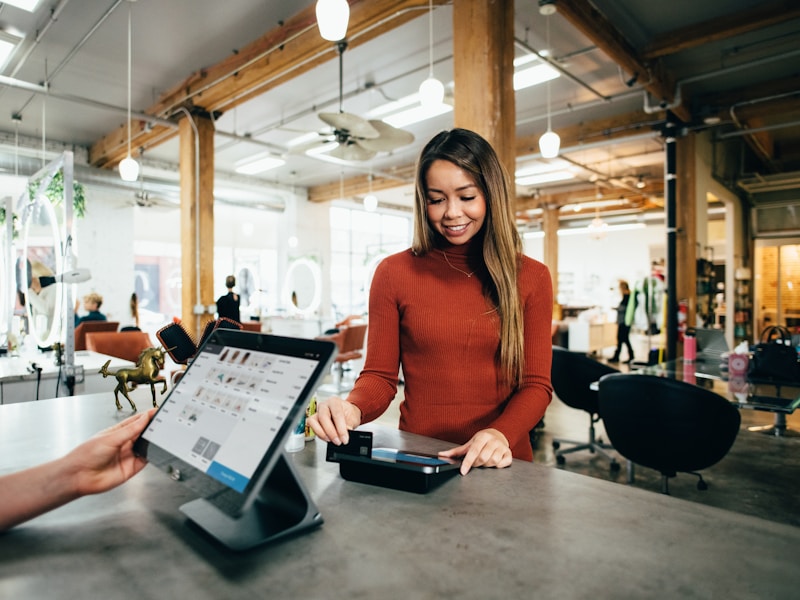
TouchBistro dominates the Canadian restaurant POS market with its iPad-based system trusted by over 29,000 restaurants worldwide. But phone orders still require manual entry, wasting staff time and creating errors that hurt profitability. AI phone ordering integration with TouchBistro eliminates manual work - orders flow automatically from phone calls to your iPad POS, kitchen displays, and table management system. This complete guide shows how TouchBistro + AI phone integration works for Canadian restaurants.
Why TouchBistro Restaurants Need Phone Automation
TouchBistro's Canadian Market Leadership
TouchBistro is the POS of choice for Canadian restaurants because:
iPad-Native: Intuitive interface servers learn in minutes
Canadian-Built: Designed specifically for Canadian restaurant needs
Full-Service Focus: Optimized for table service, not just quick-serve
Offline Mode: Works even without internet connectivity
Comprehensive Reporting: Detailed analytics on sales, labor, and inventory
But there's a critical gap: phone orders operate outside the TouchBistro ecosystem, requiring manual iPad entry during busy service.
The Phone Order Challenge
| Problem | Impact on TouchBistro Restaurants | Cost |
|---|---|---|
| Manual iPad entry during dinner rush | Servers pulled from floor, slower table service | Lost tips, frustrated customers |
| Handwriting orders on paper first | 18-22% transcription error rate | $800-2,400/month in remakes |
| Missed calls during peak times | 30-40% of phone orders lost | $35,000-85,000/year revenue loss |
| No phone order data in TouchBistro reports | Incomplete business intelligence | Poor decision-making |
How TouchBistro POS Integration Works
1. Automatic Menu Synchronization
The AI phone system connects to TouchBistro's Cloud API to sync your complete menu:
What Syncs from TouchBistro:
Menu Items: All dishes with names, descriptions, and pricing
Menu Groups: Appetizers, entrees, desserts, beverages organized
Size Variations: Regular/large, 6oz/12oz options mapped
Modifiers: Cooking temperatures, toppings, side substitutions
Special Requests: Dietary accommodations, allergies, preferences
86'd Items: Out-of-stock items automatically unavailable
Real-Time Updates: Changes in TouchBistro (price updates, new items, 86'd specials) automatically sync to the AI phone system within 5 minutes.
2. Direct Order Push to TouchBistro iPad POS
When customers call to order, here's the seamless workflow:
| Step | AI Phone Agent | TouchBistro POS | Kitchen |
|---|---|---|---|
| 1. Inbound Call | Answer in 2 seconds | — | — |
| 2. Order Taking | Capture items, mods, customer info | — | — |
| 3. Order Confirm | Read back for accuracy | Order created via API | — |
| 4. Payment | Send payment link (Stripe/Square) | Order status: pending payment | — |
| 5. Payment Complete | Confirm payment received | Order status: paid | Order fires to kitchen display |
| 6. Preparation | — | Track order status | Prep items, mark ready |
3. iPad Kitchen Display System Integration
Phone orders integrate perfectly with TouchBistro's Kitchen Display System (KDS):
Kitchen Display Features:
Station-Based Routing: Grill items to grill station, salads to cold prep, drinks to bar
Order Type Labels: Phone orders clearly marked "PHONE ORDER" vs dine-in
Timing Information: Requested pickup/delivery time displayed prominently
Special Instructions: Dietary notes, allergies, modifications highlighted
Order Sequencing: Phone orders prioritized based on pickup time
Status Tracking: Kitchen marks items prepping → ready → picked up
4. Table Management Integration (Optional)
For phone orders that include reservations or dine-in pickup:
Table Assignment: Reserve table for phone-order customers picking up
Floor Plan View: Phone orders show on TouchBistro floor plan
Reservation Sync: Phone reservations appear in TouchBistro booking system
Guest Counts: Party size tracked for phone orders and reservations
Key Benefits of TouchBistro + AI Integration
Zero Manual iPad Entry
Eliminate 100% of manual phone order entry:
| Daily Phone Orders | Manual Entry Time (Before) | AI Automated (After) | Time Saved Monthly |
|---|---|---|---|
| 30 orders/day | 150 minutes (2.5 hours) | 0 minutes | 75 hours |
| 50 orders/day | 250 minutes (4.2 hours) | 0 minutes | 126 hours |
| 75 orders/day | 375 minutes (6.3 hours) | 0 minutes | 189 hours |
At $18/hour Canadian labor cost (server wages + benefits), a restaurant with 50 daily phone orders saves $2,268 CAD monthly in labor alone.
Perfect Order Accuracy
Eliminate transcription and entry errors:
Error Reduction:
Manual Process Errors:
Mishearing on phone: 12-15%
Handwriting illegible: 18-22%
iPad entry mistakes: 8-12%
Modifier errors: 25-30%
AI Integration:
Voice recognition: 98%+ accuracy
Direct API transfer: 100% accurate
No transcription needed
Perfect modifier capture
Unified TouchBistro Reporting
All phone orders appear in TouchBistro's comprehensive analytics:
Sales Reports: Phone + dine-in revenue combined in daily/weekly/monthly reports
Menu Performance: See which items sell best via phone vs dine-in
Server Performance: Track phone order volume alongside table service
Labor Analytics: Calculate phone order efficiency vs dine-in
Inventory Management: Phone orders deplete ingredient stock automatically
Setup Process: TouchBistro + AI Phone Integration
Step 1: TouchBistro Cloud API Connection (10 Minutes)
Simple API Setup:
Log into Inputly.AI admin panel
Navigate to Integrations → TouchBistro POS
Click "Connect TouchBistro"
Enter your TouchBistro Cloud credentials
Select restaurant location (if multiple venues)
Authorize API access permissions
Confirm successful connection
Technical Note: Uses TouchBistro Cloud API with secure token-based authentication. Your TouchBistro credentials are encrypted and never stored by Inputly.AI.
Step 2: Menu Import & Verification (15 Minutes)
After connection, automatic menu sync begins:
Automatic Import: All TouchBistro menu items, groups, and modifiers pulled
Review Interface: Verify menu structure in Inputly.AI admin panel
Modifier Mapping: Confirm cooking temps, sides, toppings mapped correctly
Pricing Check: Spot-check prices match TouchBistro exactly
Test Menu Navigation: Simulate customer ordering flow
Step 3: Kitchen Display Configuration (10 Minutes)
Configure how phone orders appear on TouchBistro KDS:
| Setting | Options | Recommendation |
|---|---|---|
| Order Type Label | "Phone Order", "Takeout", "Delivery" | "Phone Order" for clarity |
| Station Routing | Auto-route by item type | Enable for efficiency |
| Priority Level | Same as dine-in, higher, lower | Same priority initially |
| Timing Display | Show pickup time, hide, highlight | Highlight pickup time |
Step 4: Payment Gateway Setup (5 Minutes)
Choose payment processing method:
Stripe Integration: Most common, 2.9% + $0.30 per transaction
Square Integration: Alternative option, same pricing
TouchBistro Payments: Use existing TouchBistro payment processor (if applicable)
Step 5: Test Order & Go Live (15 Minutes)
Pre-Launch Testing:
✓ Call test number and place sample order
✓ Verify order appears in TouchBistro iPad POS
✓ Check Kitchen Display shows order correctly
✓ Complete test payment via sent link
✓ Confirm order marked "Paid" in TouchBistro
✓ Review order in TouchBistro sales reports
✓ Train staff on new phone order workflow
Real Canadian Restaurant Case Study
The Keg Steakhouse & Bar - Calgary, Alberta
Background: High-end steakhouse using TouchBistro POS, processing 55 phone orders daily for takeout and delivery, all manually entered during busy dinner service.
| Metric | Before Integration | After Integration | Improvement |
|---|---|---|---|
| Daily Phone Orders | 55 orders | 82 orders | +49% (missed calls captured) |
| Order Entry Time | 6 min/order (330 min daily) | 0 minutes | 165 hours saved monthly |
| Order Accuracy | 79% | 99.4% | +20.4 percentage points |
| Server Productivity | Pulled from floor for phone entry | 100% focused on tables | Better service, higher tips |
| Monthly Phone Revenue | $38,500 CAD | $57,400 CAD | +$18,900 CAD (+49%) |
| Order Remakes (errors) | 12 remakes/month ($720 cost) | 1 remake/month ($60 cost) | $660 saved monthly |
General Manager Quote: "TouchBistro is perfect for our full-service operation, but phone orders were killing us during dinner rush. Servers had to stop what they were doing, take the call, write it down, then go enter it on the iPad. Now it's automatic - the order just appears on our kitchen displays and servers stay focused on the dining room. We're capturing way more phone orders and our guests are happier."
TouchBistro vs Toast vs Square: Which Integration is Right?
| Factor | TouchBistro | Toast | Square |
|---|---|---|---|
| Primary Market | Canada (full-service) | USA (all restaurant types) | Global (small-medium) |
| Best For | Table service, upscale dining | High-volume, multi-location | Cafes, quick-serve, small restaurants |
| Hardware | iPad-based | Proprietary terminals | iPad or Square terminals |
| Offline Mode | ✓ Excellent | ✓ Good | Limited |
| Table Management | ✓ Best-in-class | ✓ Strong | Basic |
| AI Phone Integration | ✓ Included free | ✓ Included free | ✓ Included free |
Pricing & ROI for Canadian Restaurants
Integration Cost (CAD)
TouchBistro POS integration included free in all Inputly.AI plans:
| Plan | Monthly Minutes | Price (CAD) | TouchBistro Integration |
|---|---|---|---|
| Trial Pack | 125 minutes | $67 CAD (one-time) | ✓ Included |
| Silver Pack | 750 minutes | $402 CAD/month | ✓ Included |
| Gold Pack | 1,500 minutes | $670 CAD/month | ✓ Included |
No additional fees: No TouchBistro API charges, no per-transaction fees, no setup costs.
ROI Calculation (Canadian Restaurant)
Restaurant Processing 50 Phone Orders Daily:
Monthly Costs:
Silver Pack AI system: $402 CAD/month
Monthly Benefits:
Labor savings (126 hours × $18 CAD/hr): $2,268 CAD
Error reduction (9 remakes × $52 CAD avg): $468 CAD
Captured missed calls (15 orders/day × $35 avg × 30 days): $15,750 CAD
Total Monthly Benefit: $18,486 CAD
Net Monthly Gain: $18,084 CAD
ROI: 4,498%
Payback Period: Less than 1 day
Advanced Features
Multi-Location Support
For restaurant groups with multiple TouchBistro locations:
Separate Phone Lines: Unique number for each location
Location-Specific Menus: Different menus for each venue
Centralized Management: View all locations in one Inputly.AI dashboard
Consolidated Reporting: Compare phone order performance across venues
Bilingual Support (English/French)
Perfect for Canadian restaurants serving bilingual customers:
Language Detection: AI identifies customer language preference
French Menu Navigation: Full French language support
Quebec Compliance: Meets French-language service requirements
Getting Started
Connect Your TouchBistro POS to AI Phone Ordering Today
Try TouchBistro integration risk-free with our $67 CAD trial pack (100% refundable). See phone orders flow automatically to your iPad POS and kitchen displays in under 1 hour.
Conclusion
TouchBistro POS integration with AI phone ordering solves the biggest operational challenge for Canadian full-service restaurants: manual phone order entry during peak service. By automating the entire phone-to-kitchen workflow, restaurants eliminate manual iPad entry, capture 30-50% more phone orders, and free servers to focus on table service.
The integration takes under 1 hour to set up, requires zero technical expertise, and delivers immediate ROI through labor savings and increased revenue. For TouchBistro users processing phone orders, this integration is essential.
If your restaurant uses TouchBistro and takes phone orders, start with the $67 CAD trial pack today. Experience automatic order flow to your iPad POS in less than 60 minutes.